Simple Summary: Winning Your Executive Presentation
-
01
The First 3 Seconds Rule Don't focus on making it look pretty; focus on where people look first. Put your most important leadership success where the reader's eyes naturally fall in the first three seconds.
-
02
Facts Over Fancy Think like a builder, not an artist. If you spend too much time making manual designs, it looks like you don't know what's truly important. Being fast and clear shows you respect the reader's time.
-
03
Let Tools Do the Boring Work Use smart tools to handle the small stuff like spacing and margins. If you are manually moving text boxes, you are doing simple tasks that waste the energy you need for telling your big leadership story.
-
04
Easy Sharing Use a standard, clean look so people in your network can easily recommend you. If your document is familiar and clean, a recruiter or connection can quickly grab the key facts to pitch you to a decision-maker.
How to Structure Your Executive Story Visually
Resume template formatting is not a design project — it is a communication decision. For a seasoned leader, the blank page is something to fight against. Many experienced people think they must design everything by hand to show they are unique, manually fixing lines and fonts. This is the Complexity Trap: the wrong idea that a great career needs a messy, complicated layout.
The truth is, spending hours on small design details is a sign of being stuck in "formatting paralysis," where you waste your main focus on small, unimportant jobs instead of big-picture planning. According to a Ladders eye-tracking study, recruiters spend an average of just 7.4 seconds scanning a resume during their initial review. That window is not won with a custom font — it is won with placement.
It is time to change from just designing a document to building its structure. You aren't just "picking a template"; you are building the path for information so the recruiter sees your most important successes in the first three seconds.
This guide is not about basic tips; it is a direct plan for managing high-level attention. We move past the fear that smart tools make you look less important. Instead, we use them to strengthen your presence. At the end, you will stop wasting time on the layout and start using structure to make your unique leadership story far stronger.
What Is Resume Template Formatting?
Resume template formatting is how you structure a resume's visual layout so that content is organized, scannable, and compatible with applicant tracking systems. It covers section hierarchy, font choices, margins, white space, and the placement of key achievements for maximum recruiter impact.
For executives, formatting decisions matter to two audiences: the ATS that filters resumes before any human reads them, and the hiring manager who spends an average of 7.4 seconds on initial review. Getting this right means structuring information flow — not spending hours tweaking design details. According to Jobscan (2025), 98% of Fortune 500 companies use ATS software, and complex manually designed layouts are among the most common reasons resumes get filtered before a recruiter ever sees them.
"The executives who struggle most with their search are often spending 80% of their energy on formatting and 20% on their story. It should be the reverse. A clean template takes 10 minutes. Your leadership narrative should take 10 hours."
What You Must Stop Doing Now
You are hurting your job search by trying to be a graphic designer. You think doing manual work proves your worth, but it actually shows you can't handle your time well. To get a top role, you need to check your work process and stop these three things right away. ResumeBuilder.com's 2025 survey found that 68% of hiring managers reject resumes within the first 10 seconds — almost always because of poor structure, not weak content.
You spend three hours fighting with margins, fonts, and text boxes because you think a "special" look proves you are different. You think a messy, homemade look shows "personality."
Use Visual Structure. Your job isn't to look pretty; it's to build the path for information. Use a smart template to handle spacing and alignment automatically so the reader sees your best wins right away. Looking professional comes from being steady and clean, not from fancy borders.
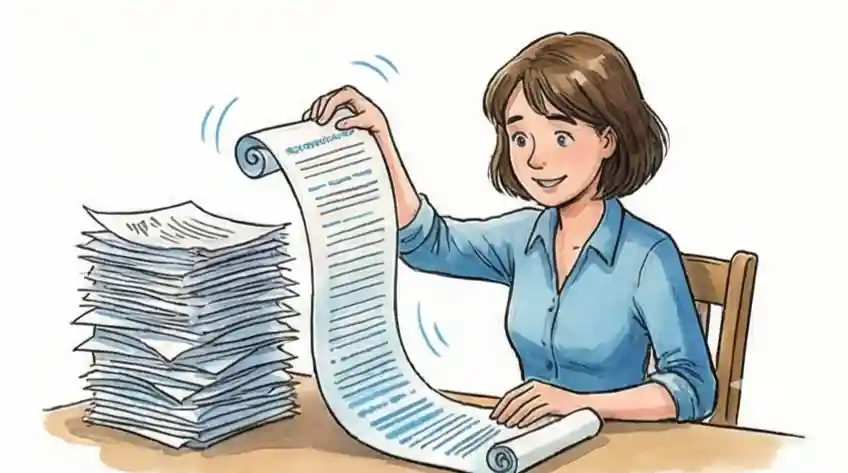
You refuse a structured template because you say your 20-year career is "too special" or "too complex" for a normal design. You write long, unclear paragraphs to make sure you don't leave out any detail, creating a wall of text no one reads.
Use Information Flow. Being a top leader means you can make complex things simple. If your experience doesn't fit a clean, structured design, you haven't organized your story well enough yet. Use a template to push yourself to be brief and powerful.
You skip smart formatting tools because you worry an "automatic" layout will make you look like a beginner. You feel you must touch every part of the document to feel in control of your professional image.
Focus on Attention Control. Real leadership means knowing when to hand off small tasks to focus on big ones. Letting a smart tool manage the design frees your thinking power for your leadership story. The tool creates the stage; you give the show.
Your Executive Resume Action Plan
You think your career is too special for a normal design, so you waste hours fixing lines and fonts by hand instead of focusing on strategy.
Stop asking how the page looks and start asking what the information does. List your top three big successes first. When you know your main story, the template will easily fit your achievements instead of forcing your story into a shape that doesn't fit.
Being a pro is about clear facts, not messy lines. A clean look shows a confident leader who doesn't need extra visual stuff to stand out.
You worry that using a smart, pre-made layout means you are giving up your unique professional style to a computer program.
Think of it as Visual Structure—you are setting up the information flow to grab a recruiter's attention in three seconds. Let the smart formatting handle the boring alignment work so you can focus on making your executive brand strong.
Recruiters hire you for what you achieved, not how well you use a word processor. A great layout puts your smart thinking right up front.
Leaders often get stuck trying to perfect the design, wasting time on small details instead of preparing for interviews.
Use the automatic features to set up your document fast. Once the tool makes sure your biggest achievements are seen first, your job changes from being a designer back to being a top candidate ready for a career move.
The best career changes happen when you stop treating your resume like an art project and start treating it like a fast way to show your value.
Choosing a Template: Why Cruit's Smart Design Saves You Time
Let's be honest: Many people spend hours picking a resume template not because they are careful, but because they are scared. Spending ages on fonts, margins, and colors is a way of hiding. We call this Productive Wasting of Time. It feels like work, and it looks like work, but really, you are focused on the cover because you fear the actual content—your career history and skills—isn't good enough.
The secret issue is the idea that if you just find the perfect look, the hiring manager won't see your past problems, short job stays, or missing qualifications. You are using the design to hide from the much harder job of talking about your successes.
"I am avoiding thinking by working on the design. This layout is just the case it comes in, not the message itself. I will give myself exactly 10 minutes to let Cruit's smart design handle the 'Frame' so I can focus my real energy on the 'Picture.' If the layout is clean and easy to read, I'm done. My value is in what I’ve done, not how long I spent moving a text box."
To get past this, stop seeing your resume as an art project and start seeing it as Frame vs. Picture. The Picture is your experience and results — that is why you get hired. The Frame is the template and design; its only job is to let the picture be seen easily. If you spend more than 10 minutes on the "frame," you are ignoring your valuable "picture." A fancy frame won't save a bad drawing, and a simple frame won't ruin a masterpiece.
For a deeper look at how Cruit handles the frame automatically, see how Cruit's intelligent layout formatting eliminates common design errors.
Cruit Tools for Your Career Move
For Look and Feel Simple Design Tool
Fixes early problems: Automatically sets up your design so your best work fits nicely without you fighting with the setup.
For Your Message Content Sharpening Tool
Uses AI to help you find the right words, making sure your story fits a clean, professional structure.
For Staying Focused Interview Prep Tool
Stops you from wasting time on design by making the document fast, so you can focus on practicing your story and managing attention.
Common Questions
Won’t using a template make my executive experience look the same as everyone else's?
No. A template is just Visual Structure. Think of it like a clean museum wall—it's clean and organized so your unique career "art" stands out. Smart formatting makes sure your specific leadership wins are the main focus, not a messy design that confuses the reader.
My career path is messy and complex; can a structured tool handle that?
Messy history is exactly why smart design is needed. Most leaders get stuck trying to manually fit a complex career into a document. These tools are made to organize non-standard paths into a clear flow, turning a complicated history into a clear, high-level story that a recruiter can get in seconds.
Will automated resume formatting reduce my executive presence?
Executive presence comes from your results and your strategy, not from how long you adjust lines by hand. Letting tools handle the small stuff saves your focus for your story. Good structure secures your presence by making sure your biggest wins are clearly visible at a glance.
How do I choose the right resume template format?
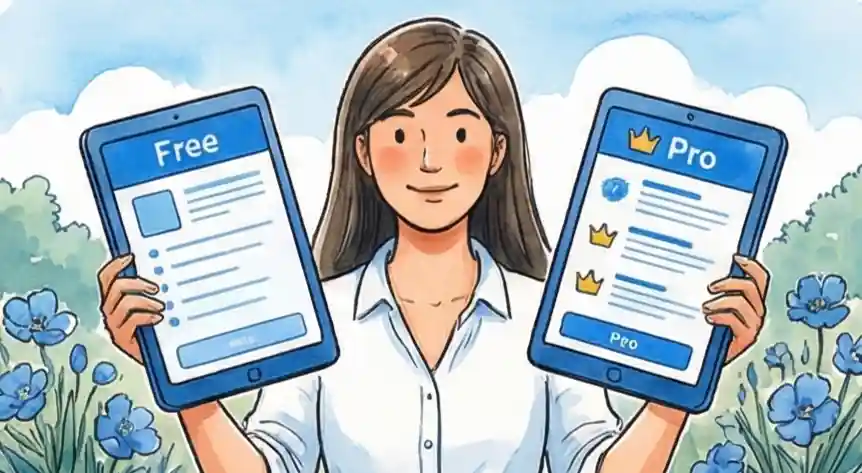
Choose a single-column or clean two-column template that places your name, title, and top achievement in the first third of the page. Avoid headers, footers, text boxes, and graphics — 25% of ATS systems fail to parse information stored outside the main body (Jobscan, 2025). Standard fonts like Calibri or Georgia and bullet points consistently outperform decorated layouts. If you want to see what ATS-safe formatting looks like in practice, Cruit's free and pro plans both include ATS-optimized templates by default.
How long should an executive resume be?
Two pages is the standard for most executive resumes. One page suits early-career professionals; three pages is occasionally acceptable for C-suite candidates with 25+ years and extensive board memberships. Focus on the last 10–15 years and cut older roles to a brief addendum at the end.
From Messy to Masterful
Stop seeing your long career as a problem to manage. Your history is actually your advantage — a deep source of value that sets you apart. When you choose Visual Structure over the Complexity Trap, your resume becomes a strong strategy tool instead of a boring chore. You have already led well; don't let small design issues waste your time or weaken your impact. Use smart structure to make your unique leadership story shine.
Start Building Today